Software · CleanSys
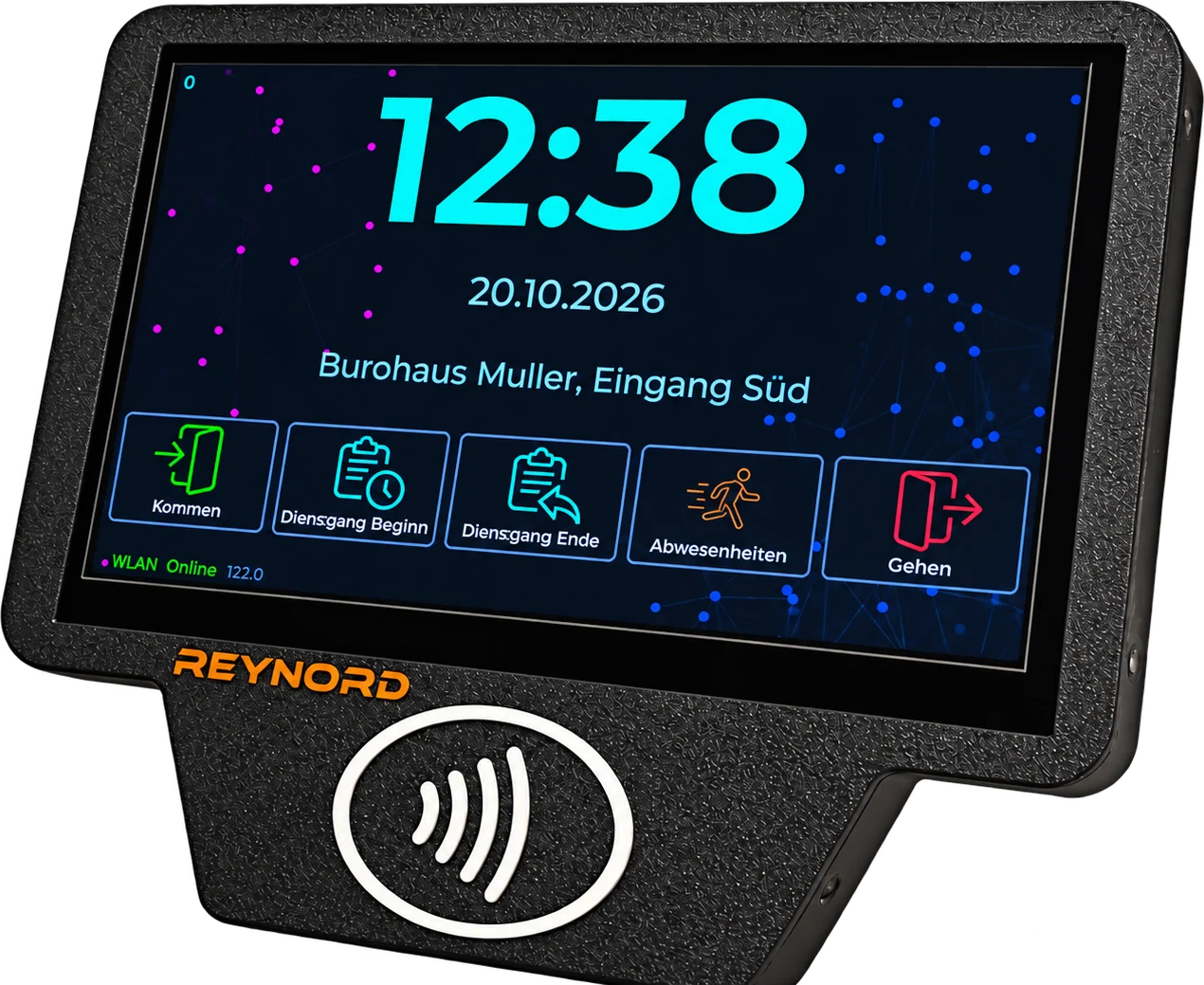
CleanSys time attendance, on the F300.
F300 terminals connect directly to CleanSys, a cloud time-attendance platform built for commercial cleaning companies in Germany. Cleaners clock in with a tap of their card on site, dispatchers see who is where in real time, and accountants review and approve the hours.
01 How it works
From card tap to approved hours.
The F300 is the clock on the wall at each customer site; CleanSys is the office behind it. Every tap becomes a verified, tamper-evident record that the right people can act on.
-
Set up
Customers, sites, employees and their RFID cards are managed in CleanSys.
-
Tap
The cleaner taps a MIFARE card on the F300 at the site to clock in or out.
-
Transmit
The F300 sends the clock event over an encrypted connection, numbered and hash-chained to the previous event.
-
Verify
CleanSys checks the chain and sequence, flags clock drift, identifies the employee by card UID and stores the event in an append-only log.
-
Approve
Accountants review flagged work sessions, with night and Sunday time shown separately, and approve them.
02 The web app
Everything the office needs, in one place.
CleanSys runs in the browser, with a German interface designed for the people who plan, check and pay for cleaning work.
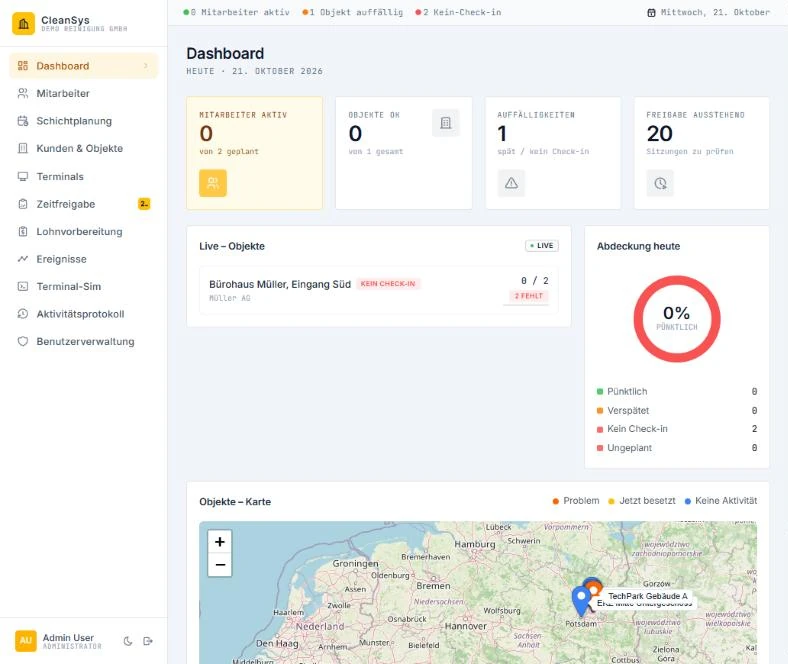
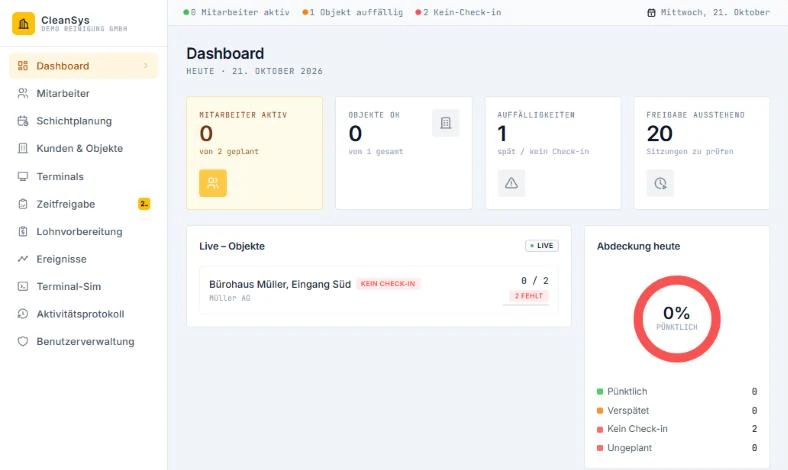
See which customer sites are staffed right now, the day's key figures, a live feed of clock events and the queue of sessions waiting for approval.
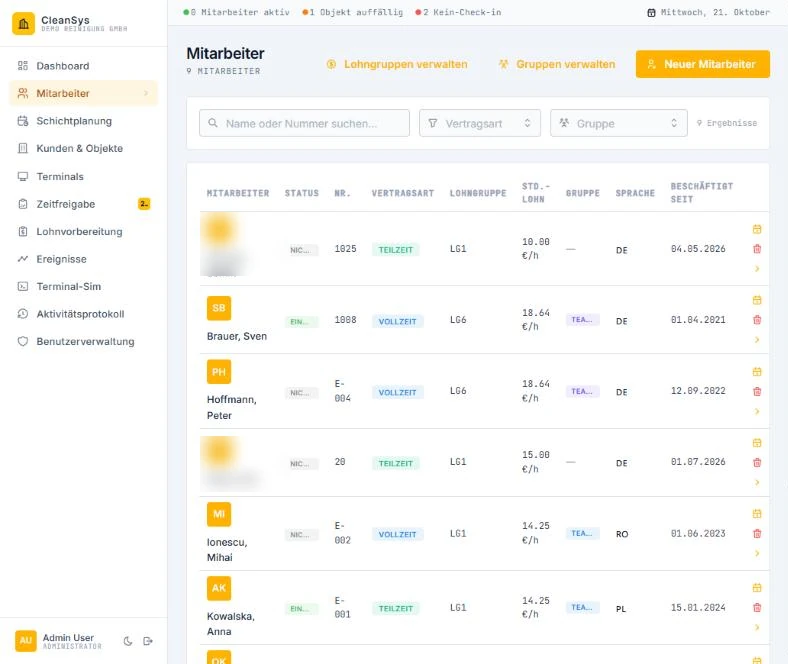
A searchable staff list with contract and language filters. Each employee has contract details, session history and a month calendar showing worked, sick, vacation and holiday days.
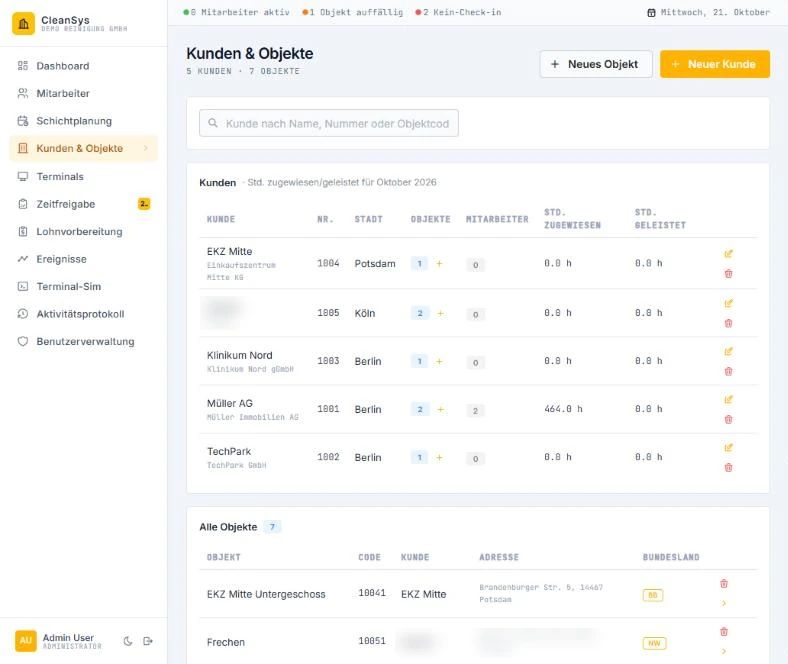
All customers and their sites in one place: the addresses where your teams work and where the F300 terminals are installed.
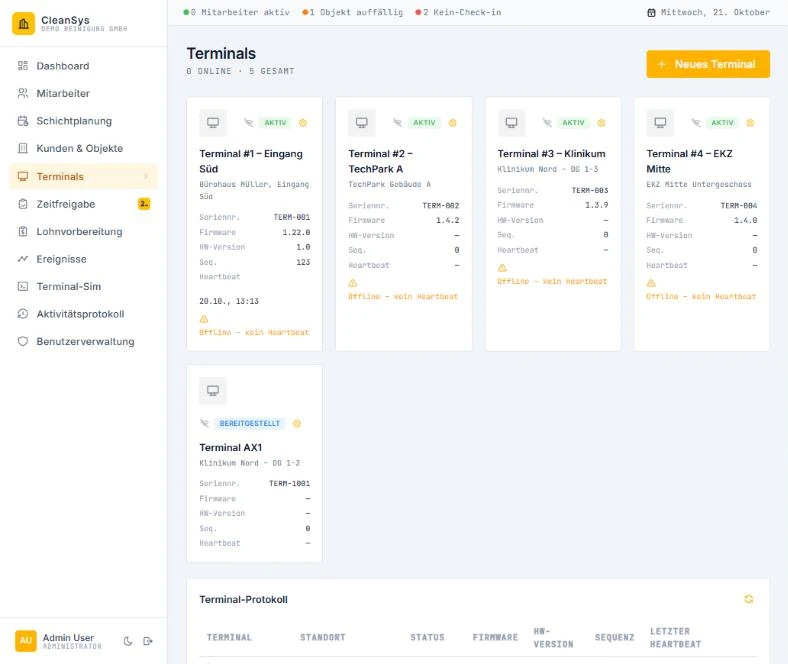
Every terminal on one screen, online or offline, so a silent site is noticed before the end of the shift.
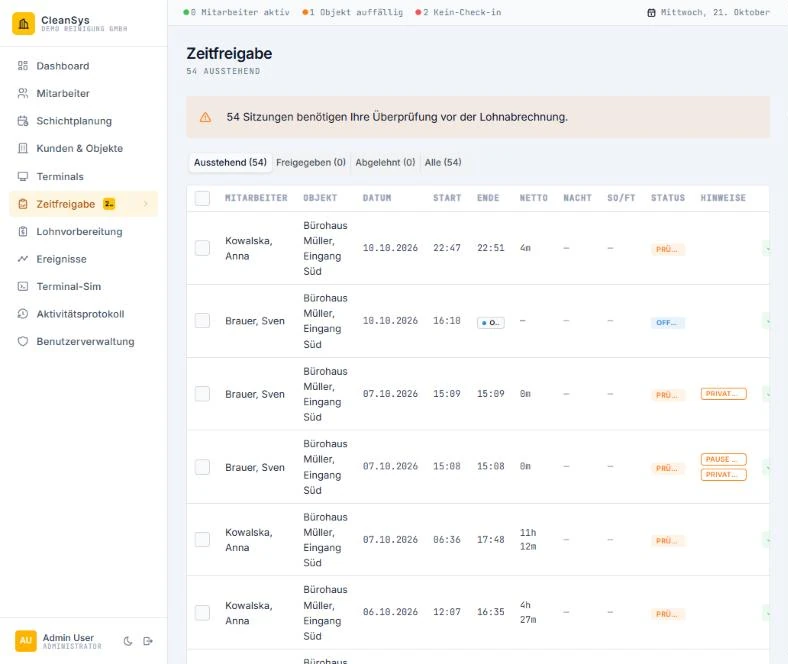
A review queue with multi-select bulk approval and per-row approve or reject, with night and Sunday premium time in their own columns.
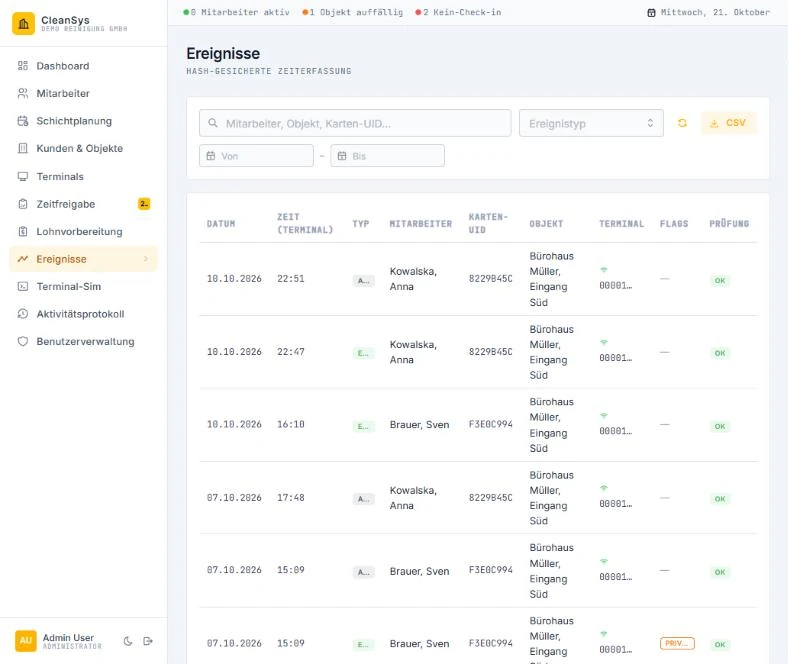
Every clock event from every terminal, searchable and filterable by type, with flags on anything outside policy.
03 Who uses it
One system, four roles.
-
Disponent
Dispatcher
Monitors live site coverage and reacts quickly to no-shows.
-
Lohnbuchhalter
Accountant
Reviews flagged work sessions and approves hours before payroll.
-
Administrator
Administrator
Manages employees, customers, sites, terminals and company settings.
-
Reinigungskraft
Cleaner
Clocks in and out by tapping a card on the F300. No app, no password.
04 German compliance
Built around German rules.
CleanSys is purpose-built for the legal and day-to-day realities of the German cleaning sector, not adapted from a generic HR tool.
-
GoBD
Tamper-evident records
Clock events are append-only, enforced in the database itself. Corrections are stored as new entries that reference the original, so the full history stays auditable.
-
§ 17 MiLoG · § 19 AEntG
Working-time recording
Every clock-in and clock-out is stored with both the terminal's time and the server's time of receipt.
-
DSGVO
Separated company data
Each company's data lives in its own isolated database schema, so a deletion request can remove a company's data completely.
-
§ 3b EStG
Premium time made visible
Time approval shows night and Sunday time separately from regular hours.
-
DATEV
DATEV-compliant record files
CleanSys generates DATEV-compliant record files from approved working time, ready for your payroll office or tax advisor to import.
CleanSys records and prepares working time for payroll (pre-payroll). Taxes, social-security contributions and net pay are calculated in your payroll system.
CleanSys + F300
See it working at your sites.
Try the online demo, or contact us to run a pilot with F300 terminals at a few of your customer sites.